9. tk messagebox
The messagebox module is used to display different types of message boxes.
Each function (showinfo, showwarning, showerror, askquestion, askokcancel, askyesno, askretrycancel) displays a different type of message box.
The responses from the question-type message boxes are printed to the console in the example below.
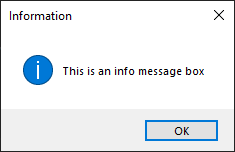
showinfo
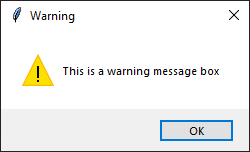
showwarning
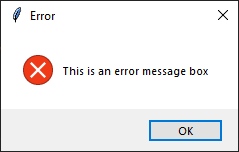
showerror
askquestion

askokcancel

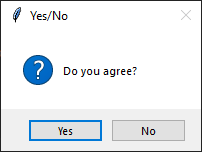
askyesno
askretrycancel
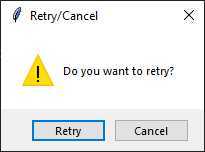
The code below shows each messagebox type.
import tkinter as tk
from tkinter import messagebox

# Create the main window
root = tk.Tk()
root.withdraw()  # Hide the main window

# Show an information message box
messagebox.showinfo("Information", "This is an info message box")

# Show a warning message box
messagebox.showwarning("Warning", "This is a warning message box")

# Show an error message box
messagebox.showerror("Error", "This is an error message box")

# Show a question message box
response = messagebox.askquestion("Question", "Do you want to continue?")
print(f"Response: {response}")

# Show an ok/cancel message box
response = messagebox.askokcancel("Ok/Cancel", "Do you want to proceed?")
print(f"Response: {response}")

# Show a yes/no message box
response = messagebox.askyesno("Yes/No", "Do you agree?")
print(f"Response: {response}")

# Show a retry/cancel message box
response = messagebox.askretrycancel("Retry/Cancel", "Do you want to retry?")
print(f"Response: {response}")

# Run the main event loop
root.mainloop()