7. Login form task
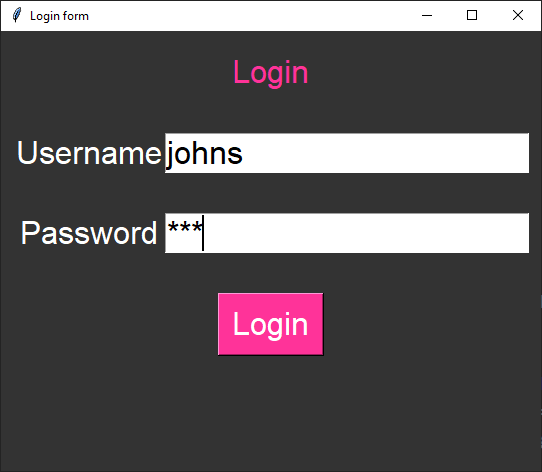
This code outputs a message box in response to attempts to login.
It displays a window with Label, Entry and Button widgets.
The widgets are placed within a frame using grid.
The frame is packed so the widgets appear to be responsive to window resizing, staying centrally aligned.
7.1. Special features
For the password entry widget use the parameter:
show="*".The show option specifies how the entered characters should be displayed.
In this case, it shows an asterisk (*) for each character typed.
This is commonly used for password fields to hide the actual characters.
The login widgets are responsive to window resizing, such that they stay vertically centered.
To achieve this, first place a centered frame and position widgets within that using grid.
# Constants
BG_COLOR = "#333333"  # dark grey

USERNAME = "johns"
PASSWORD = "123"

# login to use a messagebox
def login():
    entered_username = username_entry.get()
    entered_password = password_entry.get()
    if entered_username == USERNAME and entered_password == PASSWORD:
        messagebox.showinfo("Login", "Logged in successfully!")
    else:
        messagebox.showerror("Login Error", "Invalid login")

# create window


# create frame widget for other widgets
frame = tk.Frame(root, bg=BG_COLOR)
frame.place(relx=0.5, rely=0.5, anchor='center')  # Centering the frame inside the window

# create other widgets with frame as the parent instead of root.