8. ttk Frame
8.1. Usage
The tkinter.ttk.Frame widget acts as a themed container for other widgets.
To create a frame widget the general syntax is
(assuming import via "from tkinter import ttk"):
- frame_widget = ttk.Frame(parent, option=value)
- parent is the window or frame object.Options can be passed as parameters separated by commas.
8.2. Sample Frame
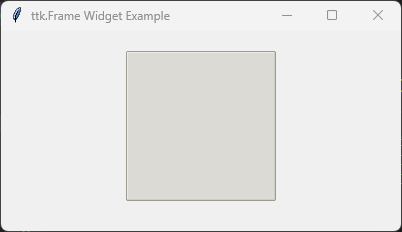
The code below creates a themed frame with a specific border style and size using common widget options.
import tkinter as tk
from tkinter import ttk

root = tk.Tk()
root.title("ttk.Frame Widget Example")
root.geometry("200x200")

# Note: To see customer styles clearly use 'clam' theme.
style = ttk.Style()
style.theme_use("clam")

frame = ttk.Frame(
    root,
    borderwidth=5,
    relief="groove",
    width=150,
    height=150
)

# Prevent the frame from shrinking to fit nothing; force its explicit size
frame.pack_propagate(False)
frame.pack(padx=20, pady=20)

root.mainloop()
8.3. Parameter syntax
- frame_widget = ttk.Frame(parent, option=value)
Parameters:
- borderwidth
- bd
- Syntax:
frame_widget = ttk.Frame(parent, borderwidth=width)Description: Sets the width of the frame's outer border in pixels.Default:0
- cursor
- Syntax:
frame_widget = ttk.Frame(parent, cursor="cursor_type")Description: Changes the mouse cursor when it hovers over the area of the frame.Default:""
- height
- Syntax:
frame_widget = ttk.Frame(parent, height=height_in_pixels)Description: Sets the vertical height of the frame container in pixels.Default:0
- padding
- Syntax:
frame_widget = ttk.Frame(parent, padding=amount)Description: Internal buffer padding surrounding nested content. Can accept a single integer, a 2-tuple(width, height), or a 4-tuple(left, top, right, bottom).Default:""
- relief
- Syntax:
frame_widget = ttk.Frame(parent, relief="relief_type")Description: Sets the border style behavior of the frame layout. Valid values include"flat","raised","sunken","ridge","solid","groove".Default:"flat"
- style
- Syntax:
frame_widget = ttk.Frame(parent, style="style_name")Description: Points to a custom layout configuration defined inside attk.Style()object tree (e.g.,"TFrame"derivatives).Default:""
- width
- Syntax:
frame_widget = ttk.Frame(parent, width=width_in_pixels)Description: Sets the horizontal width of the frame container in pixels.Default:0
8.4. Theme Customization Options (via ttk.Style)
Global visual modifications like backgrounds are handled cleanly using custom style configurations.
Example Configuration:
style = ttk.Style()
style.configure(
    "Custom.TFrame",
    background="lightgray"
)
8.5. Default options
Code to inspect and get the current defaults for each themed frame layout option is below.
import tkinter as tk
from tkinter import ttk

root = tk.Tk()

frame = ttk.Frame(root)
frame_options = frame.keys()

for option in frame_options:
    print(f"{option}: {frame.cget(option)}")